
Coante Catalog Guide to Digital Catalogs and Collections
Have you ever tried to describe a countertop you like to your architect or fabricator? Saying “the white one with subtle gray veining” often does little to move the decision forward. With the correct model name and product code, communication becomes much clearer. Coante catalog files and digital product tools help bridge that gap. They let you explore entire collections, narrow down your options, and visit a sales location with the right information.
This guide explains where to find Coante catalogs, when to use a PDF catalog or the filterable product list, how to turn catalog information into project decisions, and what to check when moving from browsing to viewing samples. Whether you are a homeowner renovating a kitchen, an architect preparing specifications, or a dealer presenting options to a customer, the process below can save you time.
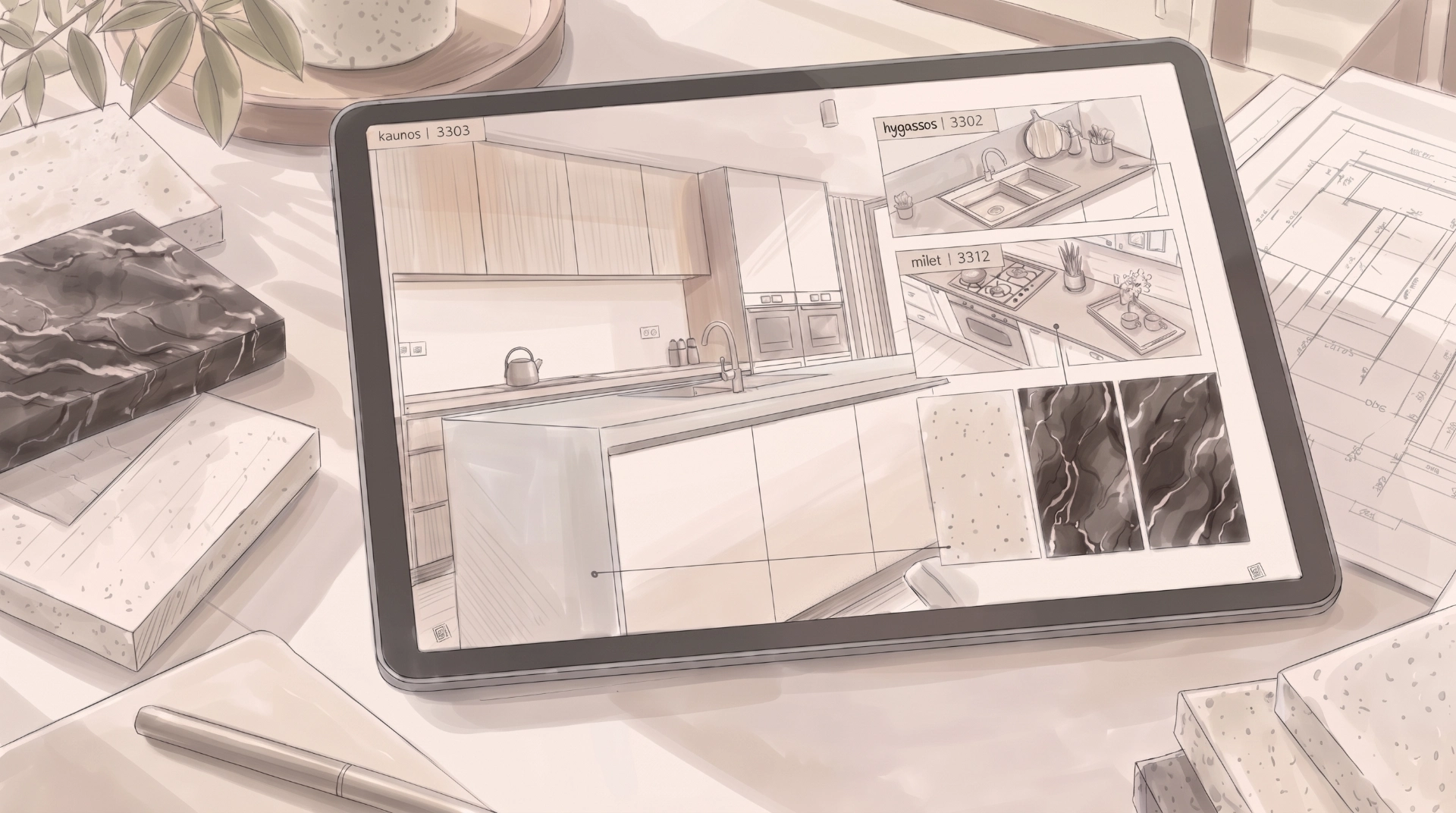
Where and How to Access Coante Catalogs
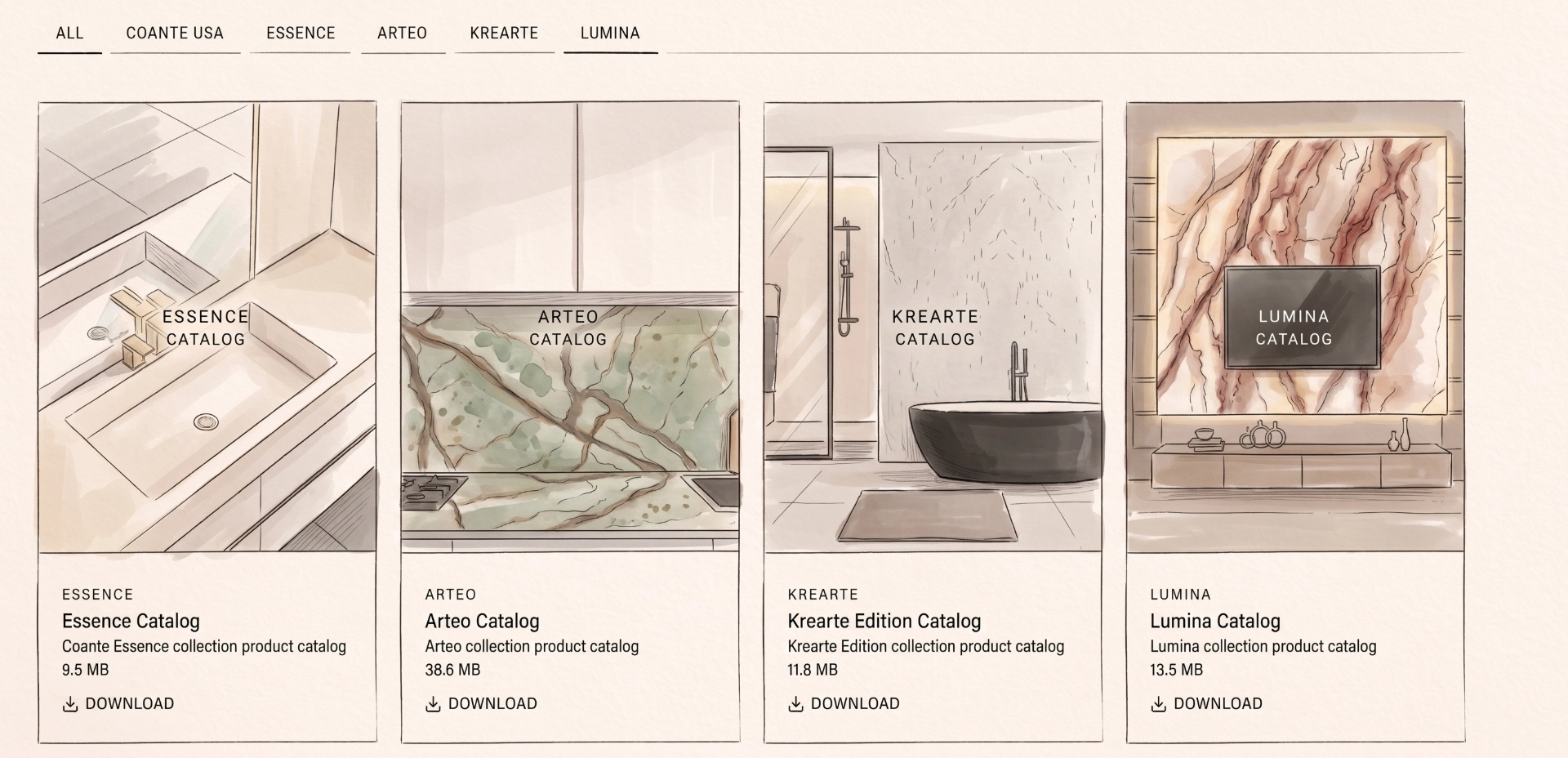
You can download the latest Coante PDF catalogs free of charge from the Coante PDF catalogs page. Separate files are available for the Essence, Arteo, Krearte Edition, and Lumina collections. Use the collection tabs at the top to display the catalog you need, then select “Download” to save the file directly to your device.
Which files are available on the catalog page?
As of October 2026, the page lists four catalogs. The Essence Catalog, approximately 9.5 MB, covers the Essence collection. The Arteo Catalog, approximately 38.6 MB, is the largest of the four because of its extensive imagery. This is the file to download if you are looking for the Coante Arteo catalog.
Krearte Edition Catalog, approximately 9.9 MB, is the product catalog for the Krearte Edition collection.
Lumina Catalog, approximately 13.5 MB, is the product catalog for the Lumina collection.
The catalog set is updated periodically, and files may be revised when new models join a collection. When making your decision, use the current file on the website, even if you downloaded a PDF a few weeks earlier.
Three practical points before downloading. File size: Large files such as the Arteo catalog are easier to download over Wi-Fi. If you plan to open the catalog in a meeting or during a showroom visit, save it to your device beforehand.
Language versions may vary between catalog files. Check the language of the file you download. If you need technical explanations in Turkish, supplement it with the Turkish manuals on the Coante technical documents page.
Viewing: To examine the veining, open the PDF on a large screen if possible and zoom in. Fine transitions in the veining can be difficult to see on a small phone screen.
When to Use the Coante Digital Catalog, Product List, and Gallery
Coante offers three complementary tools for exploring its products online, each supporting a different stage of the decision process. Working through them in sequence can reduce the fatigue of comparing too many options at once.
A PDF catalog lets you explore a collection’s overall character and design language in one sitting. It is a good starting point if you have yet to choose a collection. Offline access and easy sharing by email also make it practical for discussions with family members or project teams.
The filterable product list as an up-to-date Coante color chart
Most people searching for a “Coante color chart” want to compare all the colors in one place. The Coante products page provides the most up-to-date digital overview. As of October 2026, it lists 238 products, with filters for color, collection, subcollection, size, and thickness. You can sort the results by featured products, newest arrivals, or name. Find a model you like in the PDF, then compare it with similar shades in the product list to narrow your choice.
A practical tip: Apply the thickness filter first. If your project already requires a particular thickness, for example for a slim-profile island, choosing from models available in that thickness helps avoid discovering later that your preferred model is unavailable in the format you need.
The Gallery and New sections
Catalog photographs often show a surface on its own. Seeing it installed offers a different perspective. The website’s Gallery section shows surfaces in real interiors, while the New section helps you track the latest additions to the collections.
If you downloaded a catalog some time ago, check the New section for models that may not yet appear in your copy.
How to Read Coante Catalog Information
There is a small but important difference between liking a surface in a catalog and requesting it accurately. Specifying the model name and product code helps prevent misunderstandings between the sales location, fabricator, and architect.
Model name, product code, and series
Each Coante product is identified by a model name, product code, collection, and subseries. For example, Infigo 7717 belongs to the Allure Series in the Essence collection, while Crystello 10125 belongs to the Marble Series in the Arteo collection. Include these details together when requesting a quote or sending notes to your architect, such as “Infigo – 7717 – Essence / Allure Series.” This reduces the risk of confusion between models with similar shades.
Using size and thickness information in your project
Coante slabs come in two main sizes, Jumbo at 330 × 164 cm and Medium at 310 × 152 cm. Both sizes have thickness options of 1.5 cm, 2 cm, and 3 cm. Availability varies by model, so use the size and thickness filters in the product list to check your chosen model. A detailed breakdown of dimensions and weights is available on the Coante physical properties page.
Slab size is particularly important when designing an island. If the island countertop fits within a single slab, a seamless installation may be possible. Otherwise, plan the seam location with your fabricator during the drawing stage.
Deciding on the edge profile while browsing the catalog
The Physical Properties page shows ten edge profiles, including a single-thickness beveled edge, a double-thickness half-bullnose edge, a mitered edge, a small rounded edge known as kuzu dili, and an S-profile edge. The edge profile directly affects how thick the countertop looks. A mitered edge, for example, can make a thin slab appear much thicker from the front. Choosing the edge profile alongside the model helps establish both the required thickness and the fabricator’s cutting plan.
Using Coante Quartz Catalogs for Architects, Contractors, and Project Managers
In professional projects, the catalog becomes part of the specification process as well as a tool for selecting a finish. Build a material documentation pack that combines the PDF catalog with the relevant technical documents.
Preparing a material documentation pack
For a project using a Coante surface, we recommend keeping these documents together:
1. The current PDF catalog for the relevant collection and the page for the selected model
2. The model name, product code, size, and thickness from the product page
3. Slab dimensions, weights, and the selected edge profile from the Physical Properties page
4. Test values from the Indicative Technical Properties page
5. The relevant technical manual for the intended application
6. References to certifications and warranty terms
Keeping this information together helps the client, fabricator, and site team work from the same details during approval, coordination, and delivery to site. It also makes revisions easier to track.
Slab weight and site logistics
Slab weight is one of the details you may overlook in a catalog, yet it can cause significant challenges on site. According to Coante’s published weight table, a 330 × 164 cm slab weighs approximately 160 kg at 15 mm thick and approximately 397 kg at 30 mm thick.
Plan lift capacity, stairwell turns, and handling equipment around these figures. Slabs are usually cut in the workshop and delivered to site in sections, but confirming section sizes and access routes early makes installation day easier.
Consulting manuals for specialist applications
For applications beyond countertops, consult the relevant technical guidance alongside the catalog. Coante’s technical documents section includes the Coante User Manual, Flooring Application Manual, and Lumina Application Manual. These are available to download in Turkish, English, Spanish, Italian, Arabic, Russian, and Greek.
If you are planning flooring or decorative surfaces that interact with light, such as Lumina, review the model you selected together with the application requirements in the manuals. Multilingual manuals also help companies working with international installation teams or managing projects abroad.
Coante Catalogs for Dealers and Distributors
For kitchen and bathroom dealers and surface distributors, the catalog helps establish the customer’s first visual expectations. How closely the actual slab matches those expectations directly affects satisfaction after the sale.
Using the catalog in customer discussions
Present the catalog as a way to explore options. Narrow the selection to two or three models with the customer, then examine samples or slabs in the showroom. Always record the model name and product code in your meeting notes and use the code when preparing the order. For veined models, explain from the start that a catalog photograph shows only part of a slab and that the arrangement of the veins may vary from slab to slab.
Keeping catalog versions current
Outdated catalog files on dealer computers and tablets are a common source of confusion. Set up a simple routine: Download the files from the catalog page regularly, archive older versions, and share one current folder with the sales team. Select any catalog you email to a customer from that folder.
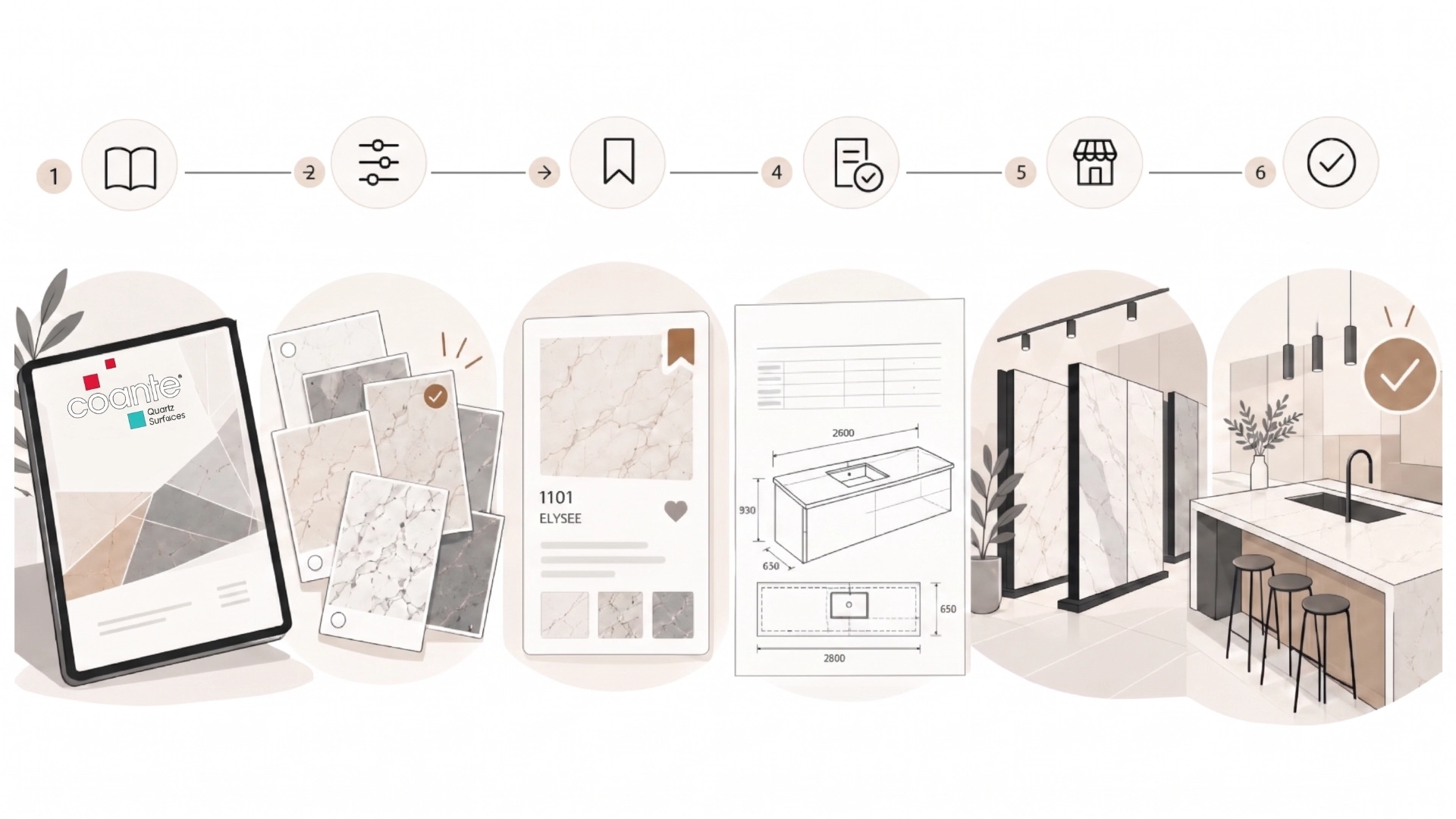
From Catalog to Sales Location in Six Steps
To turn the Coante catalog into a decision-making tool, follow this sequence. Explore the PDF catalog, use the product filters to narrow your choice to two or three models, record the model names and product codes, verify technical suitability, inspect a sample or slab in person, and confirm your choice in writing with the product code.
1. Explore: Download the PDF for your chosen collection from the catalog page and mark the shades you like. For a quick comparison of the collections, see the guide to Coante countertop designs, colors, and collections.
2. Narrow your options: Use the color, size, and thickness filters on the Products page to shortlist two or three models.
3. Record the details: Note the model name, product code, collection and series, size, and thickness for each candidate.
4. Check technical suitability: Review the physical properties, technical properties, and relevant application manual for the intended use.
5. Inspect in person: Find your nearest Coante sales location and view samples of your shortlisted models or, if possible, the actual slabs.
The Sales Network page lists 103 sales locations, including regional representatives in Türkiye and locations abroad. Use the country and city filters to find a location near you.
6. Confirm: Confirm your selected model in writing with its product code, and share the dimensions, thickness, and edge profile with your fabricator. This process helps everyone work from the same information, particularly when the decision involves several parties, such as an architect, client, and dealer.
Five Common Mistakes When Using Coante Catalogs
1. Choosing from an old PDF: A file downloaded months ago may omit newer models. Download the catalog again when you are ready to decide and check the New section.
2. Requesting a model by color alone: A description such as “cream with fine veining” may apply to several models. Use the model name and product code in every exchange.
3. Overlooking size and thickness: Use the product list filters to confirm in advance that your preferred model is available in the thickness required for the project.
4. Relying on screen images: Screen settings, photographic lighting, and printing differences affect color perception. Coante’s FAQ page also addresses differences in shade and pattern between products, samples, and promotional images. Make your final decision using a physical sample or slab.
5. Skipping the application manual: For flooring and decorative illuminated surfaces in particular, assess your selected model alongside the requirements in the relevant manual.
Your Next Step Is to Download the Catalog and View the Slab
Coante brings different quartz production technologies together on one campus, offering collections that range from understated surfaces to bold veining and layered patterns. The right tools help you make the most of that variety. Download your catalog, narrow your options in the product list, and see the surface in person at your nearest sales location before deciding. Contact the Coante team with any questions about your project.
Frequently Asked Questions
How do I download a Coante catalog, and is it free?
Coante catalogs are free. On the catalog page, select the Essence, Arteo, Krearte Edition, or Lumina tab and click “Download” to save the PDF directly to your device.
Where can I find the most up-to-date Coante color chart?
The filterable Products page provides the most current model list. Filter by color, collection, subcollection, size, and thickness, and look for the “New” label to identify recent additions. Contact a sales location for physical samples.
Where can I get Coante countertop prices?
The cost of a countertop depends on the model, dimensions, thickness, edge profile, cutting, and installation work. For current pricing, contact your nearest sales location and the fabricator who will carry out the work, providing the model name and product code.
Will the catalog color look the same as the actual slab?
It may look different. Screen and print settings, photographic lighting, and the arrangement of the veins, which can vary between slabs, all affect how the surface appears. Make your final choice by viewing the actual slab, ideally under lighting similar to the space where it will be installed.